Install Our New PWA on Your Device Today!
A Progressive Web Application (PWA) is a website that you can download and use just like a regular app. Once installed, a PWA can function without an internet connection and will appear alongside your other apps for easy access at any time.
Note: The installation process may differ slightly depending on your operating system version. Here are general guides for iOS and Android.
Installing on iOS
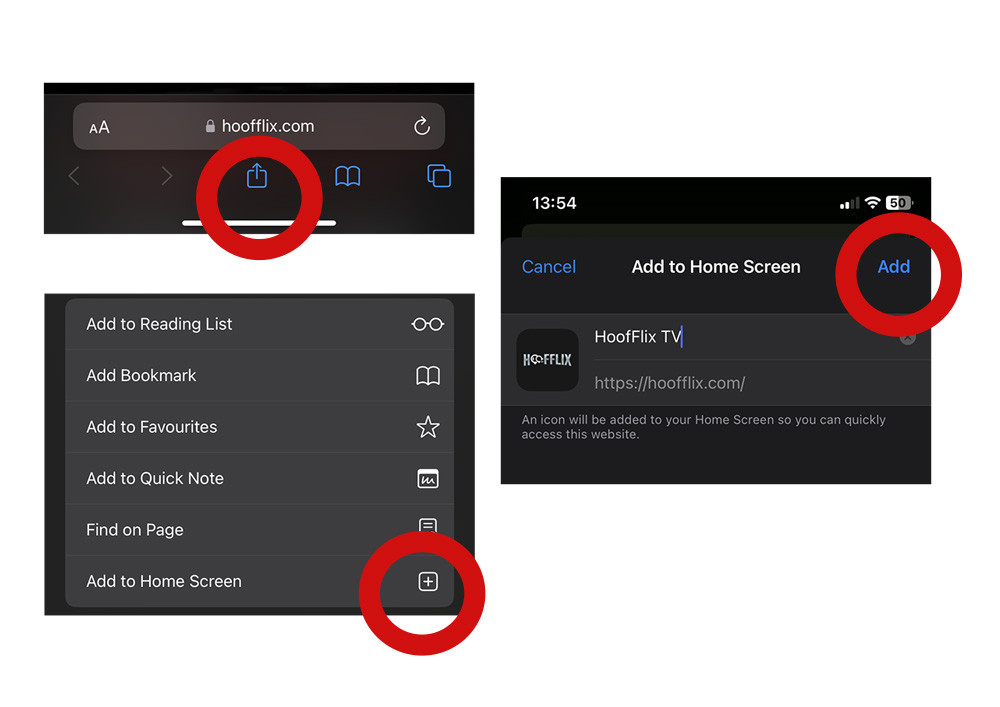
To install a PWA on iOS, you must use the Safari web browser. Follow these steps:
- Open Safari and navigate to the desired website.
- Tap the “Share” button at the bottom of the screen.
- From the popup menu, select “Add to Home Screen.”
- Tap “Add” in the top right corner to complete the installation.
The PWA will now appear on your home screen.
Installing on Android
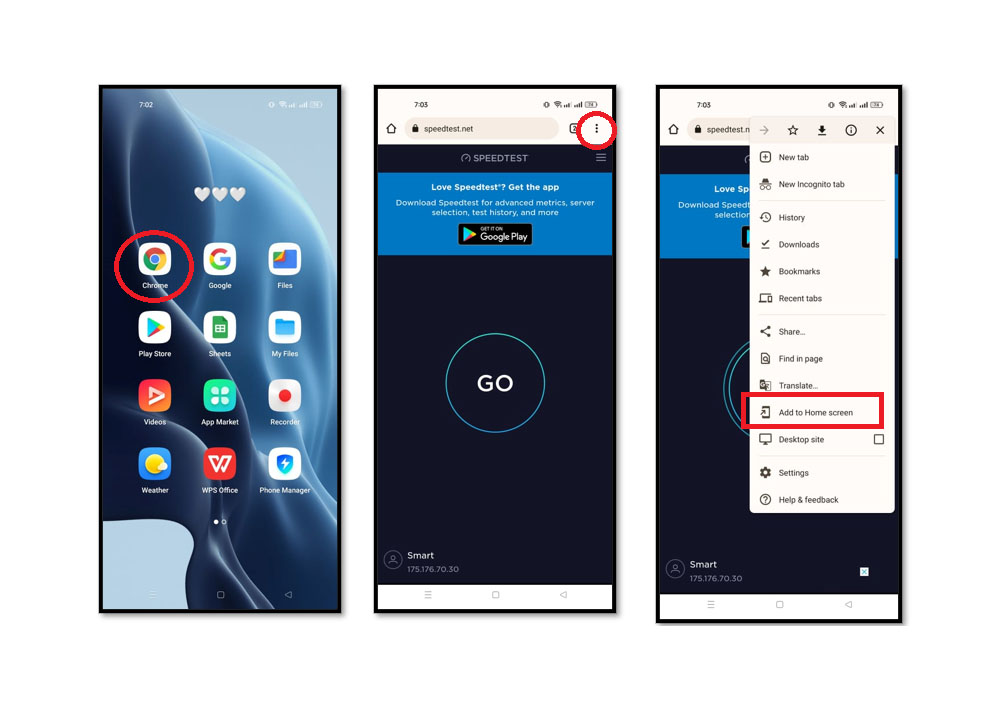
To install a PWA on Android, use the default Chrome browser and follow these steps:
- Open Chrome and navigate to the desired website.
- Tap the three-dot menu icon in the upper right corner.
- Select “Add to Home Screen” from the menu.
- Tap the “Add” button in the popup to complete the installation.
Your new PWA is now installed and ready to use from your home screen.